|
SwapRods.com
|
|
Samsung Washer Calibration Steps by Model |
|
|
Find the exact calibration procedure for your Samsung washer.
Samsung's generic instructions don't always work — these are the verified ones we've documented. Need it on the home page instead? Use the quick lookup. |
Don't see your model? Send us the calibration steps that worked for you and we'll add it — email us.
Calibration Procedures
Samsung top-load washers (WA-series) with Spin and Soil Level buttons
- Empty the drum completely, close the lid.
- Power the machine on.
- Enter calibration: press and hold Spin + Soil Level simultaneously for ~3 seconds until the display shows "Cb" or "CLb".
- Press Start/Pause — the drum will rotate slowly in both directions automatically.
- Takes roughly 2–3 minutes — the machine powers itself off when complete.
Models using this procedure (1)
- WA45H7000AW
Samsung top-load washers (WA-series) with Temp and Delay End buttons
- Make sure the tub is empty before running calibration.
- Press Power to turn on the washer.
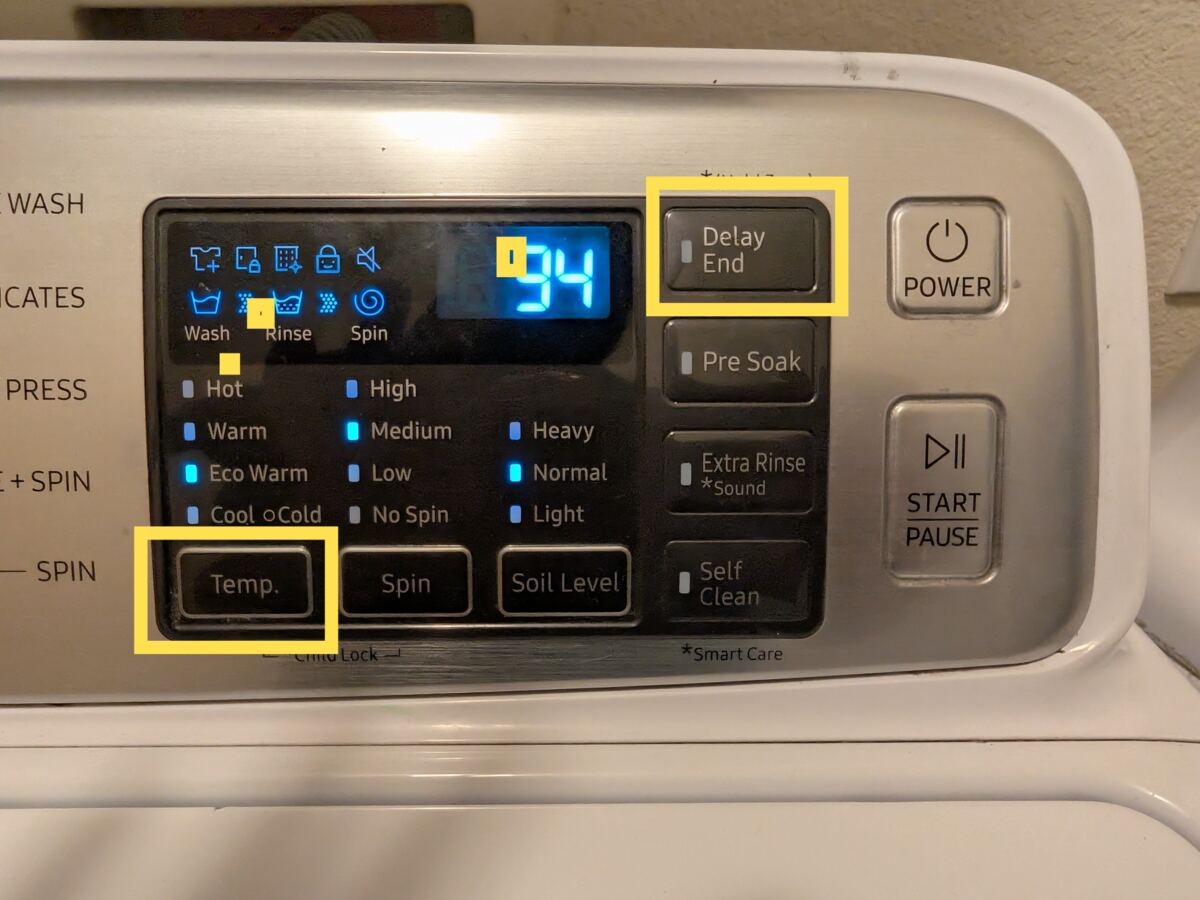
- Press and hold Temp and Delay End simultaneously for 3 seconds.
- Press and hold Start/Pause (Hold to Start) to begin calibration.
- The tub rotates clockwise and counterclockwise for approximately 2 minutes.
- When complete, "0" appears on the display and the washer turns off automatically.
Models using this procedure (13)
- WA45M7050AW
- WA45T3400AV
- WA50M7450AP
- WA50M7450AW
- WA50R5200AW
- WA50R5400AW
- WA50T5300AC
- WA52M7750AW
- WA54R7200AV
- WA54R7200AW
- WA54R7600AC
- WA54R7600AV
- WA54R7600AW
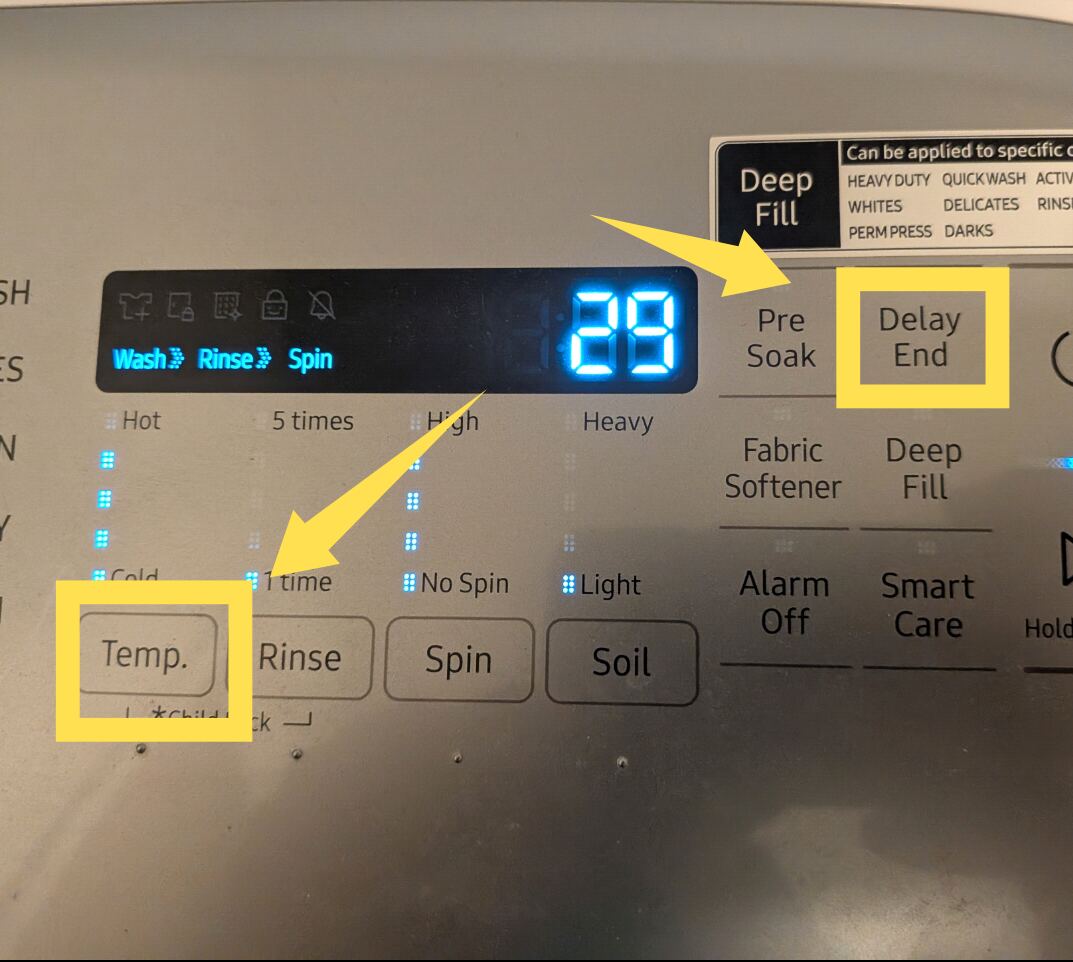
Step 3 (tap to enlarge)
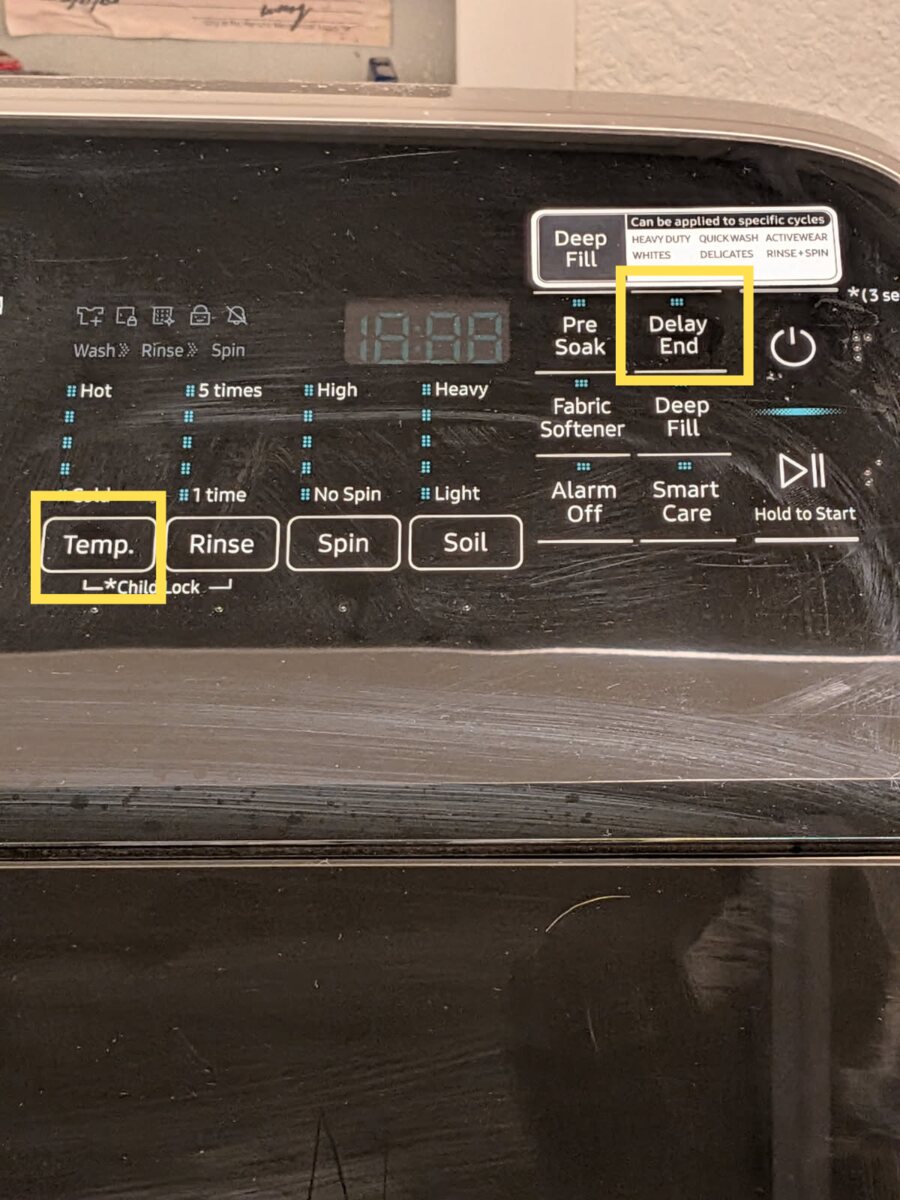

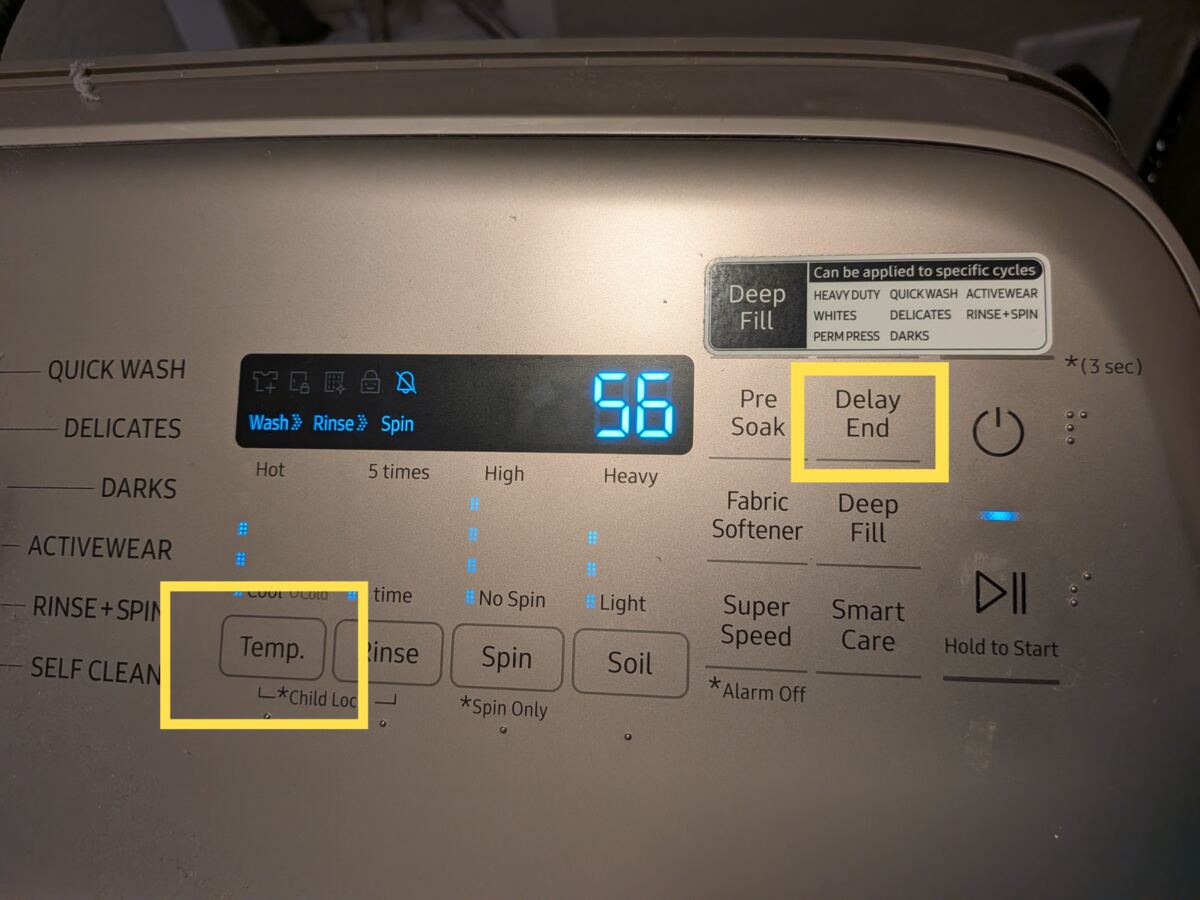
Samsung top-load washers (WA-series) that enter calibration from a powered-off state by holding the Power button and the Start/Pause button together
- Make sure the machine is off.
- Hold the Power button and the Start/Pause button (two separate buttons) together — that's it, the machine does the rest on its own. You'll see the Wash, Rinse, Extra Rinse, and Spin LEDs light up solid to confirm it's calibrating.
Models using this procedure (1)
- WA45N3050AW
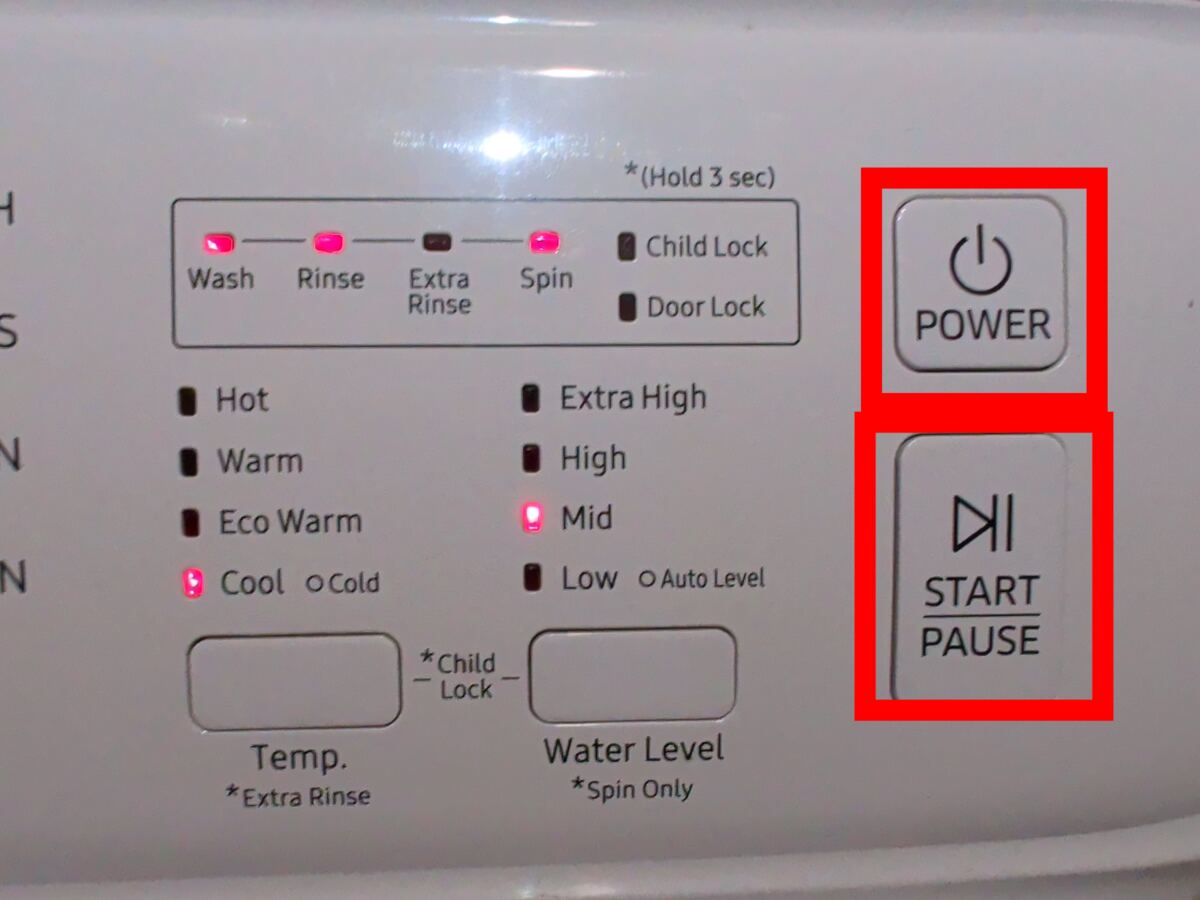
Step 2 — Hold Power + Start/Pause together — the four LEDs (Wash, Rinse, Extra Rinse, Spin) go solid (tap to enlarge)
Samsung top-load washers (WA-series) with Temp and Soil buttons
- Empty the tub completely.
- Press Power to turn on the washer.
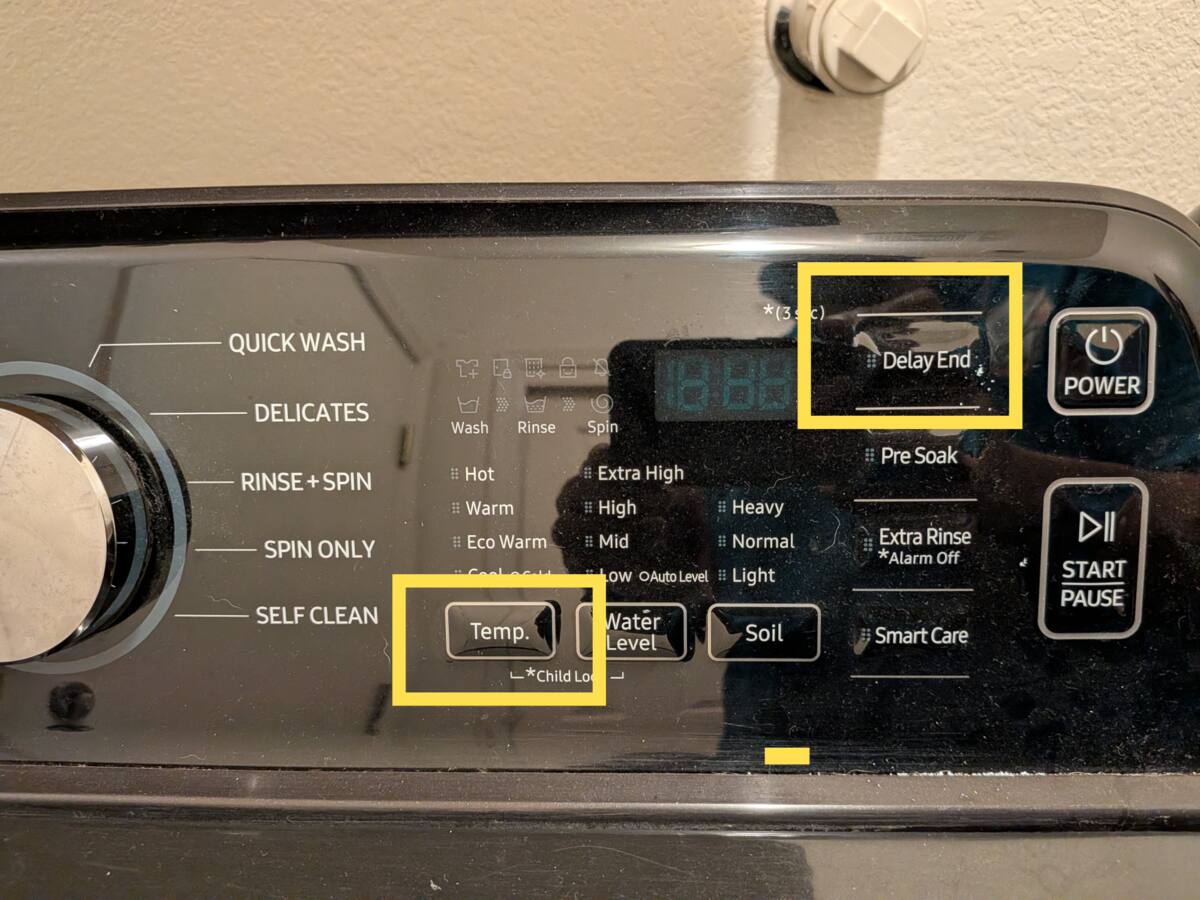
- Press and hold Temp and Soil simultaneously for 3 seconds.
- Press Start/Pause to begin calibration.
- The basket rotates clockwise for approximately 2 minutes.
- When complete, "0" appears on the display and the washer turns off automatically.
Models using this procedure (1)
- WA45T3200AW
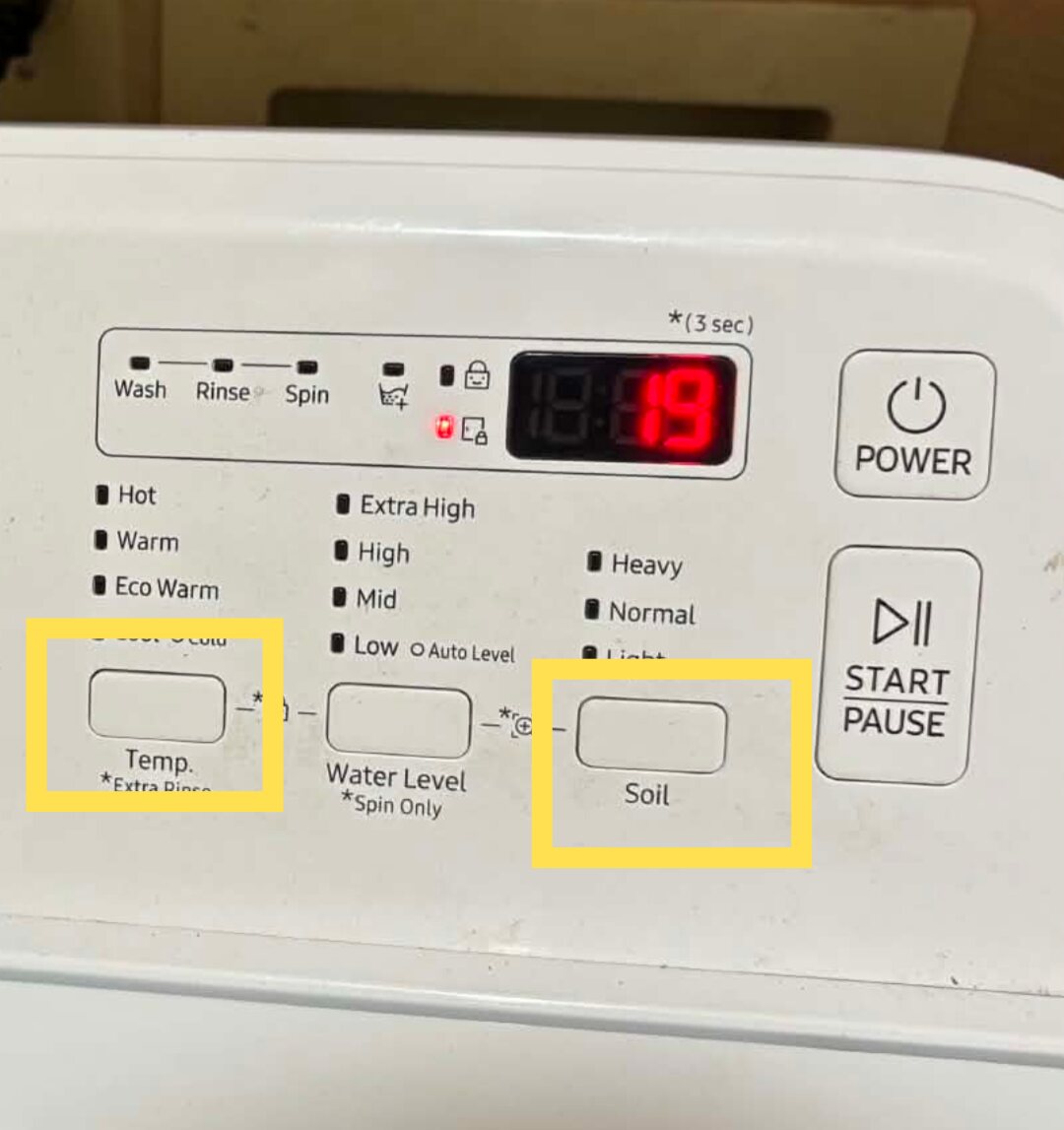
Step 3 — Hold Temp. and Soil together for 3 seconds — both highlighted in yellow. The *(3 sec) marking sits at the top right of the panel. (tap to enlarge)
Suffixes like /A2, /US-01 are ignored when matching.
Rows tagged prefix match any model starting with the listed code.
Contact
Have a calibration procedure to share, or found an issue? Get in touch!
All information on this site is provided at your own risk. We assume no responsibility for outcomes, damages, or decisions made based on this content. While we've documented these calibration procedures based on real repair experience, you assume all risks. As an Amazon Associate I earn from qualifying purchases.